Books
In order to offer books to customers, you first need to create a book and upload its formats to Miguel. To create a book, simply enter its title. The product code is set later, on each format, in the Code field. Books can be created via the administration or via the API.
Creating a book
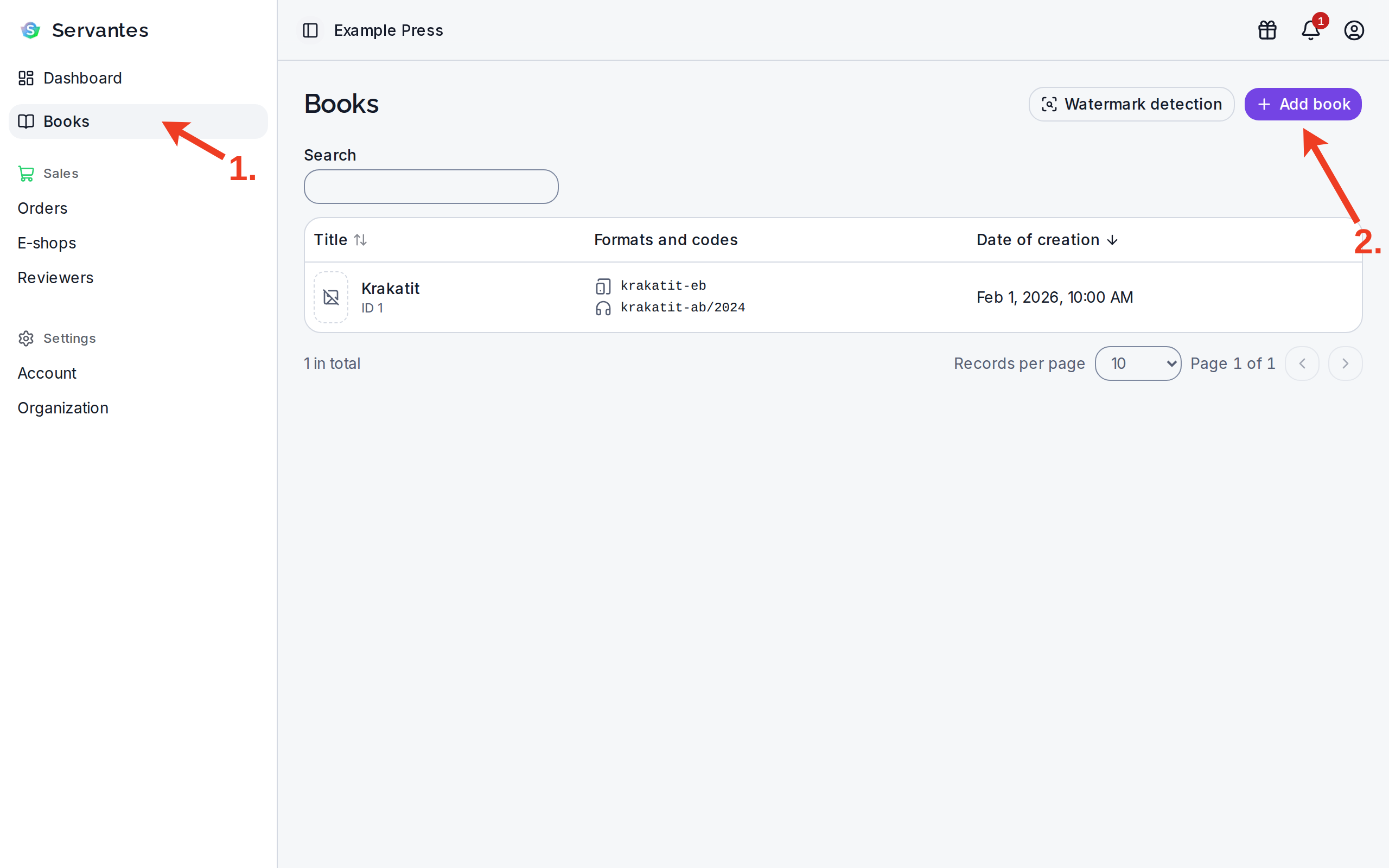
In the left menu, click Books and then Add book.
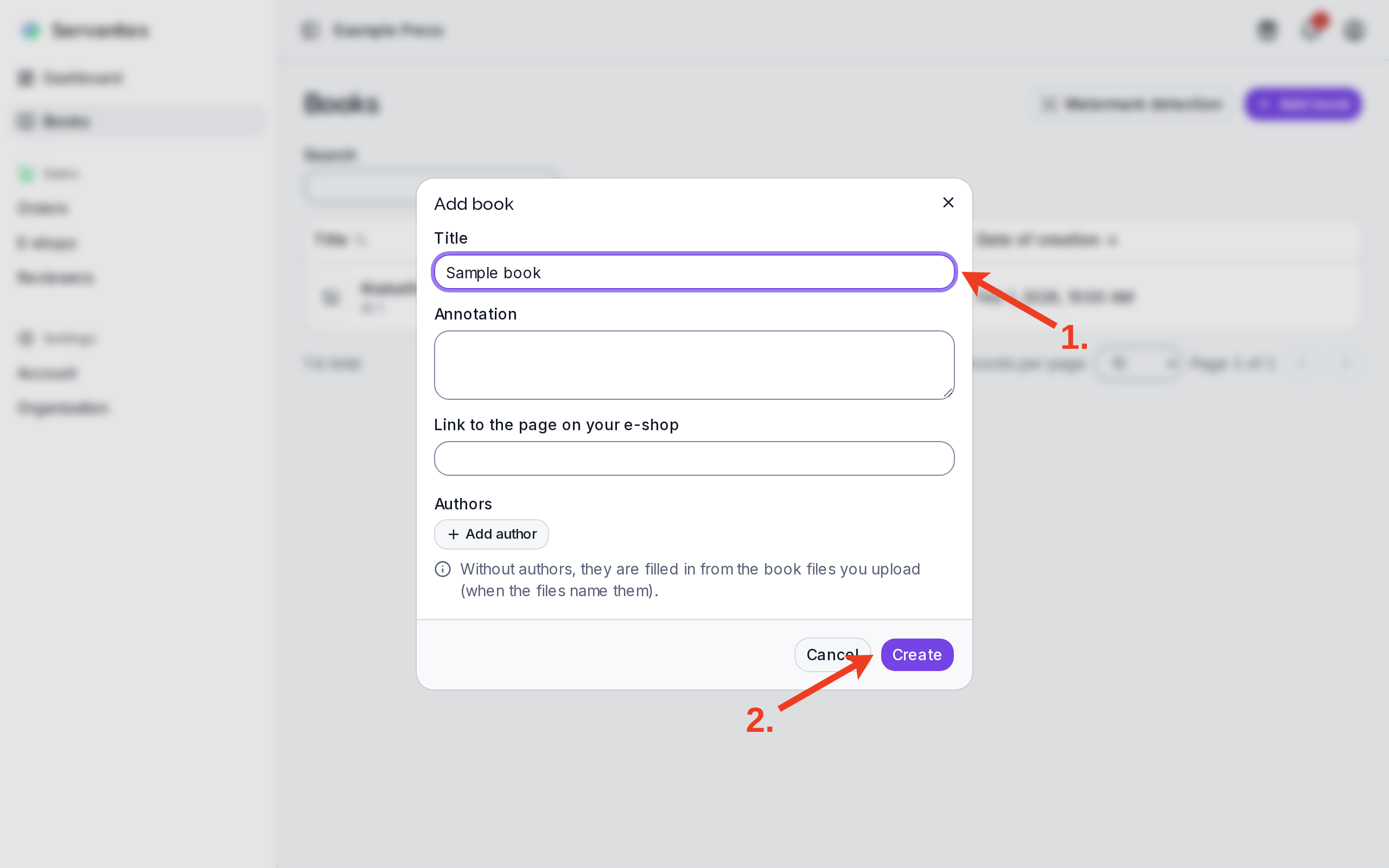
Fill in Title and press Create. The title does not have to match the product name on the e-shop. You can skip the other fields; you can fill them in later, or they are filled in from the uploaded files.
Uploading files
You must first upload the books to be able to offer them. Files are uploaded to a secure central repository in Miguel. Miguel supports several formats for e-books and audiobooks (see Formats). It is also possible to upload several different formats for one book. For example, EPUB and PDF if you want to offer both simple and graphically complex versions.
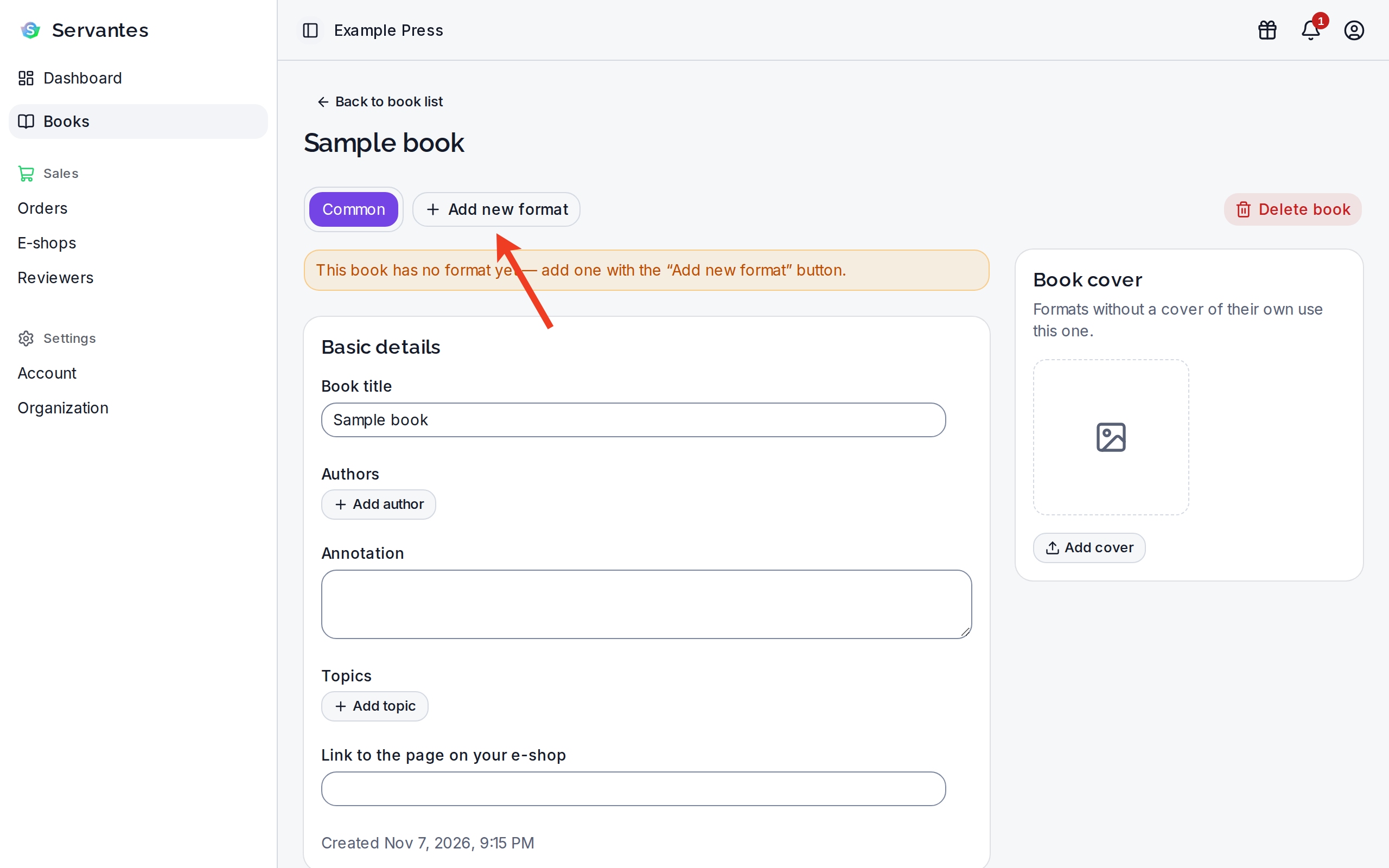
On the book's page, click Add new format.
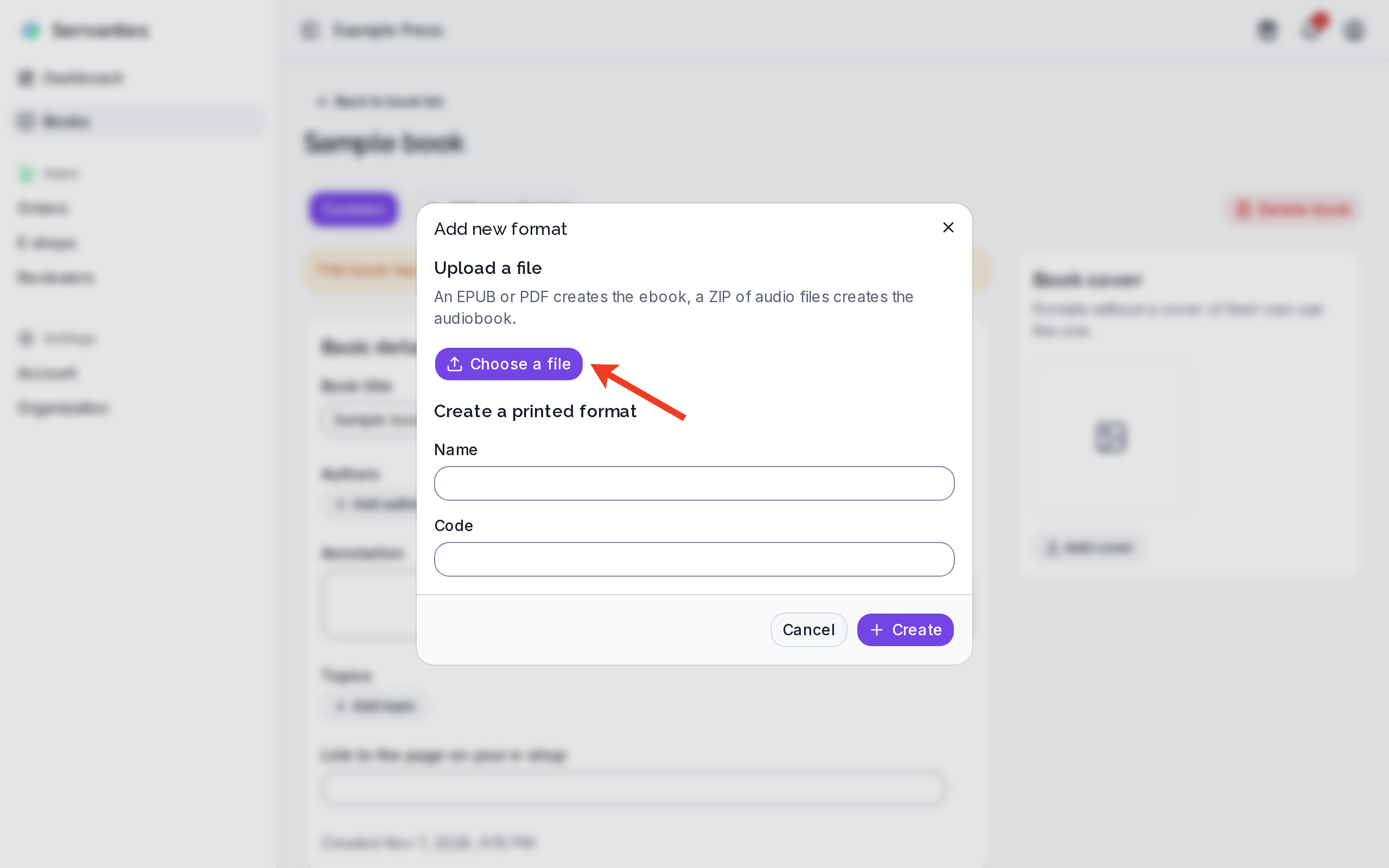
Press Choose a file, in the Add a format from a file dialog choose an EPUB, a PDF or a ZIP of audio files and press Upload. You create a printed book in the same dialog, in the Create a printed format part. You add a PDF to an existing ebook on the format's page with the Add file button.
The books are validated during the upload. For some formats, validation can take several minutes, depending on the size and complexity of the book and the current workload of Miguel. The EPUB takes the longest to upload (see Formats > EPUB > Validation).
Version Control
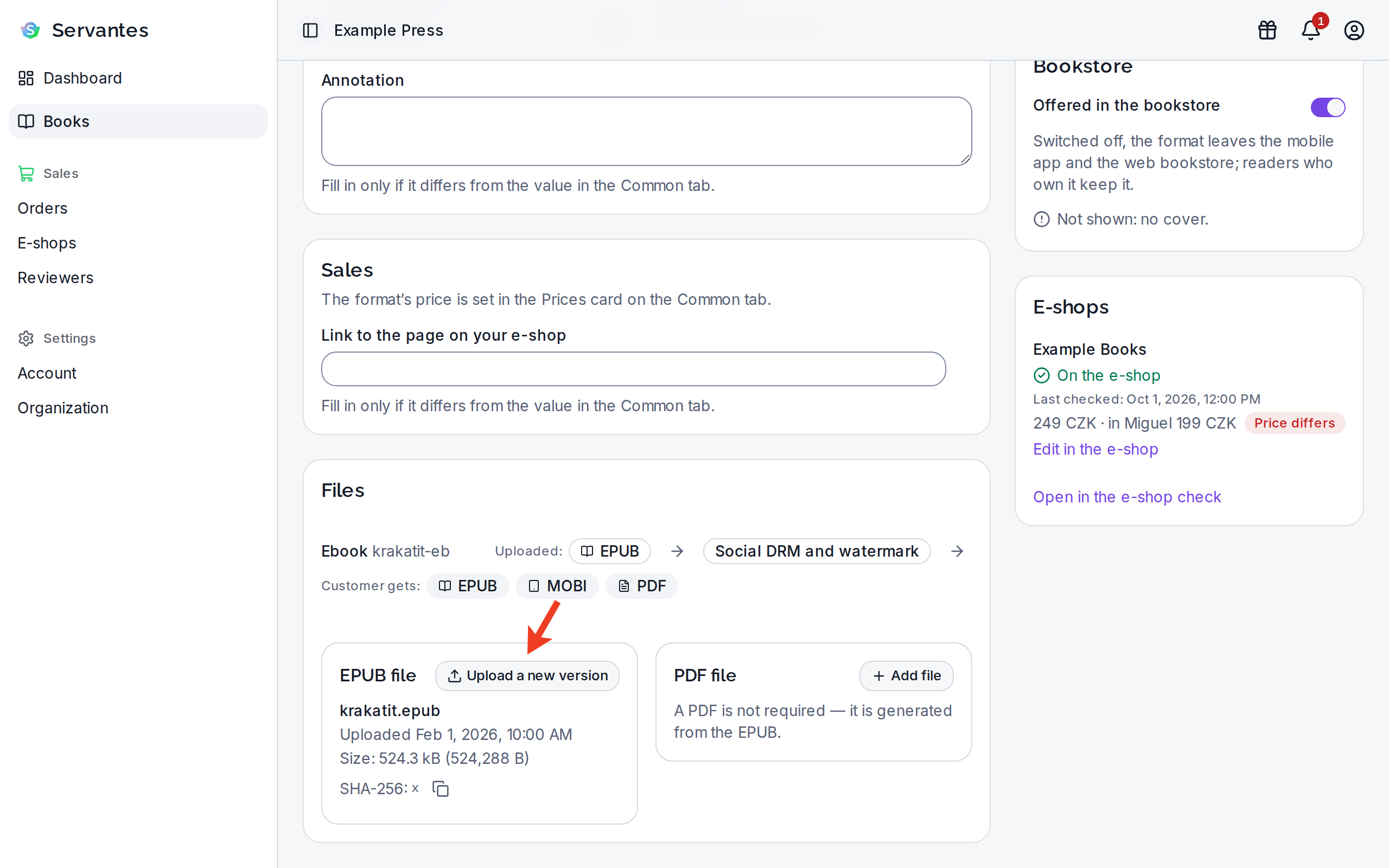
You upload a new version of a file on the format's page with the Upload a new version button. You do not enter a version number. Once Miguel has processed the file, you choose how to use it: New version (readers get a new version) or Replace without a version change. For an audiobook, you check the tracks and chapters before it is saved.
Product code
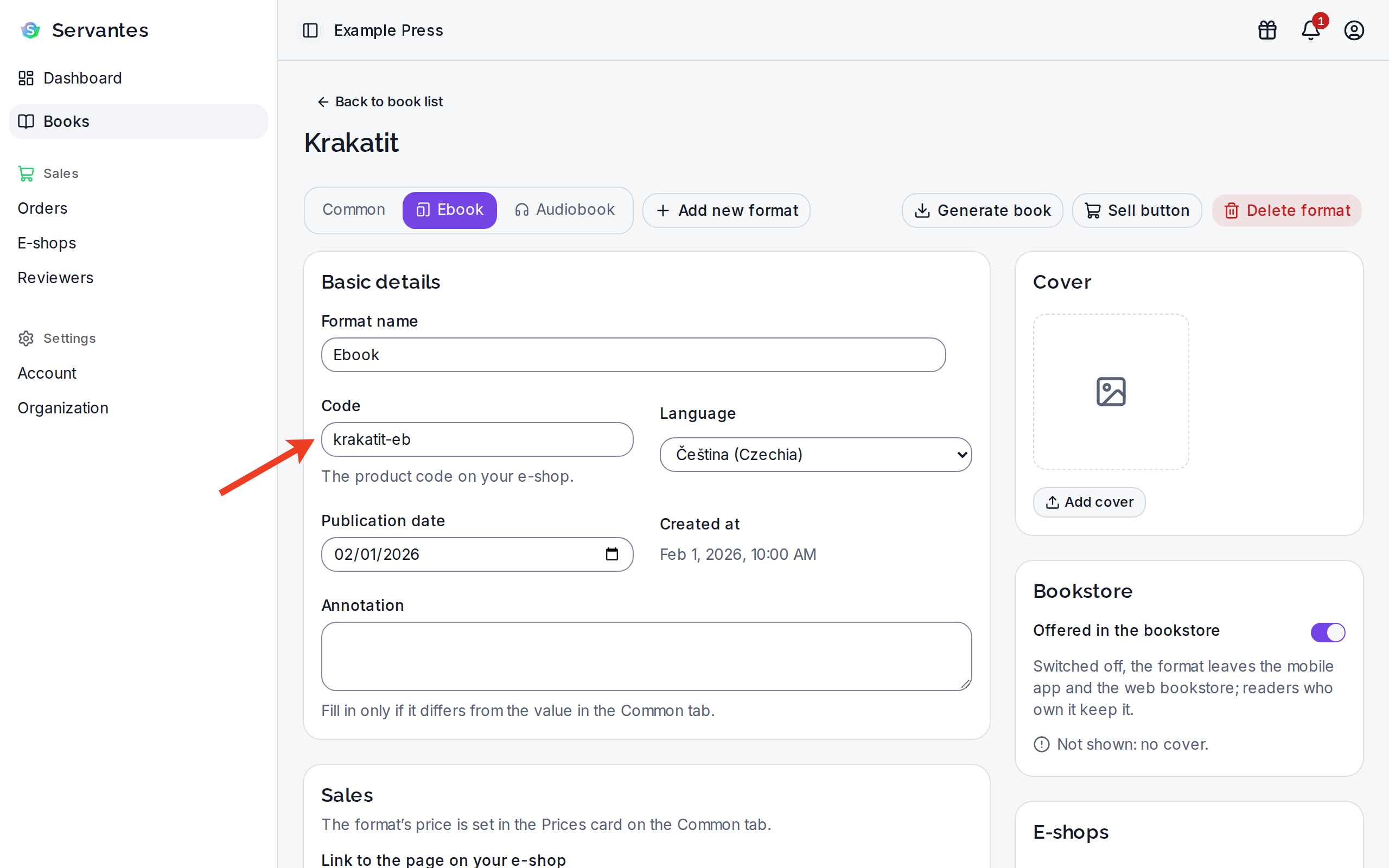
The code is set on each format separately: on the book's page, open the format's tab and edit the Code field. It is used to match the format with the product on the e-shop or when communicating via API. It is advisable to use a uniform and comprehensible system. You can set it to any text, number or ISBN.
In our publishing house, we use the URL slug from the book title, so for the book The 4-Hour Body we
use the-4-hour-body(all characters lowercase, no diacritics and hyphen instead of spaces).
- the allowed characters are
a-z,A-Z,0-9,-,_and/; anything else (including diacritics, spaces,.,@and+) is rejected - the code is case-insensitive, see below
- we recommend using a simple, universal and readable format
- we recommend staying within 50 characters, but the length is not limited
Letter case
The code is case-insensitive — ABC-1, abc-1 and Abc-1 are all the same code to Miguel. So if your
e-shop sends a product code in a different case than the one you entered in Miguel, the book is still matched
correctly.
Miguel keeps exactly the spelling you entered and returns it unchanged in both the administration and the API.
It also follows that one account cannot hold two formats whose codes differ only in case — if you already have a
format abc-1, you cannot create a second one as ABC-1. Changing the case of an existing format's code (for example
abc-1 to ABC-1) is still allowed.